
Grok Heavy Setup
Create a dedicated Grok Heavy API key to use Grok 4.7, Grok 4.6 and Grok 4.5. Requests go through https://api.shenwenai.com/v1 for ShenwenAI authentication and billing.
Codex uses the standard HTTP Responses API. Responses WebSocket is intentionally not enabled for this provider.
Four setup paths are available below: Grok Build, the official xAI terminal agent (recommended, about one minute), the CCSwitch UI for the Codex client, a custom provider in ZCode (recommended), or hand-written Codex CLI config files. All four reach the same channel, so pick one.
Copy these model IDs into config files, API request bodies, or any OpenAI-compatible client that asks for a model name. Each model can only be called with a key on its own channel.
Prepare your API key first
1. Go to your account page
After logging in, create or copy an API key from your account page. It looks like sk-or-v1-xxxxxxxxxxxx. Treat it like a password.
Go to account page2. Create an API key and choose a channel
Select Create API Key, enter a recognizable name, then choose the channel that fits your use case:
- GPT Pro · 0.22x (Pro pool)
- Prioritizes stability for OpenAI (Codex) and OpenAI-compatible clients. Recommended for long-running or important text workloads.
- GPT Economy · 0.09x (Plus pool)
- Prioritizes price for OpenAI (Codex) and OpenAI-compatible clients. Recommended for everyday development, learning, testing, and cost-sensitive text workloads.
- 国产 DeepSeek V4.1 Flash · 60% of official price
- Serves deepseek-v4.1-flash only, with a 1M context window, thinking mode, tool calls, and image input. Works with OpenAI (Codex) and OpenAI-compatible clients.
- DeepSeek · 85% / 65% of official price
- Serves deepseek-v4-flash and deepseek-v4-pro. Works with OpenAI (Codex), OpenAI-compatible clients, and Claude Code.
Claude Code runs only on Claude or Grok channel keys; GPT Pro and Unrestricted keys are refused with a 403. For images, create a separate OpenAI image key or Grok image key. Text and image purposes cannot be mixed in one key.
3. Confirm the Base URL
Use https://api.shenwenai.com/v1 for Codex and OpenAI-compatible clients.
Do not share your API key with others or commit it to GitHub, GitLab, or any public repository.
The steps below switch based on the path you select.
The official xAI terminal coding agent. Install it, paste one config block, done in about a minute.
The commands below will switch based on your selected system.
Create a Grok Heavy API key
Open API Key management on ShenwenAI, select Create API Key, then choose Grok Heavy · 15% of official price as the channel.
The full key is shown only once, so copy it before closing the dialog.
Install Grok Build
Close the terminal and open a new window after installing, then run grok --version to confirm.
curl -fsSL https://x.ai/cli/install.sh | bashOpen the config file
The config file is ~/.grok/config.toml on macOS and Linux, and %USERPROFILE%\.grok\config.toml on Windows.
mkdir -p ~/.grok
nano ~/.grok/config.toml
To save in nano: Ctrl+O, Enter, Ctrl+X.
Paste this configuration
Paste the block below and replace the key with your own. Keep any existing [marketplace] or [ui] settings — do not overwrite the whole file.
[models]
default = "shenwen-grok"
web_search = "shenwen-grok"

[model.shenwen-grok]
model = "grok-4.6"
name = "Grok (ShenwenAI)"
base_url = "https://api.shenwenai.com/v1"
api_key = "sk-or-v1-your-key"
api_backend = "responses"
context_window = 500000

[ui]
fork_secondary_model = "shenwen-grok"
shenwen-grok is only a local alias and [models].default must point at it. The model actually sent upstream is model = "grok-4.6" (grok-4.7 or grok-4.5 also work). The /v1 suffix on base_url is required.
Clear the official login and test
Grok Build prefers the session left by a browser login, so without logging out first it keeps asking you to sign in. Run the commands below; the last line is the test.
A plain OK reply with no browser login means you are on the ShenwenAI channel.
grok logout
rm -f ~/.grok/auth.json
grok -p "Reply with OK only"
Start it in your project
Change into your project directory and run grok to open the interface.
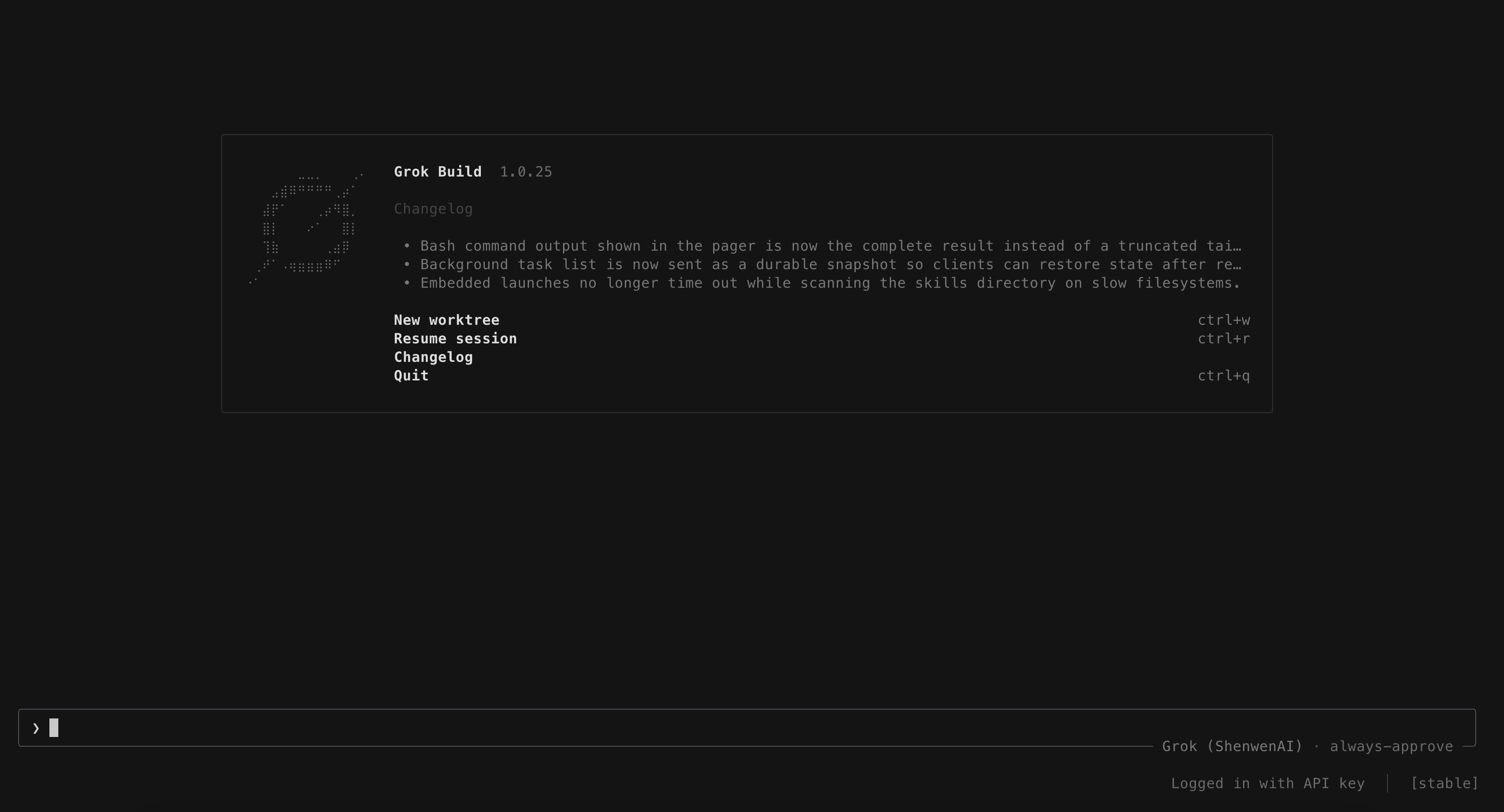
The bottom right should read Grok (ShenwenAI) and Logged in with API key, which means requests go through ShenwenAI. You can also type /model to confirm.
grokTroubleshooting
Still asked to log in: confirm grok logout ran, auth.json is gone, and [models].default points at shenwen-grok. A .grok/config.toml inside the project directory overrides the user config.
401 / invalid token: the key is incomplete, has extra whitespace, or is not a Grok Heavy key.
400 / unsupported_model: model must be exactly grok-4.7, grok-4.6 or grok-4.5.
404: base_url must end with /v1, not https://api.shenwenai.com.
Subtasks jump back to the official login: set fork_secondary_model = "shenwen-grok" under [ui] as well.
Response format errors: try api_backend = "responses" first, then chat_completions if that fails.